

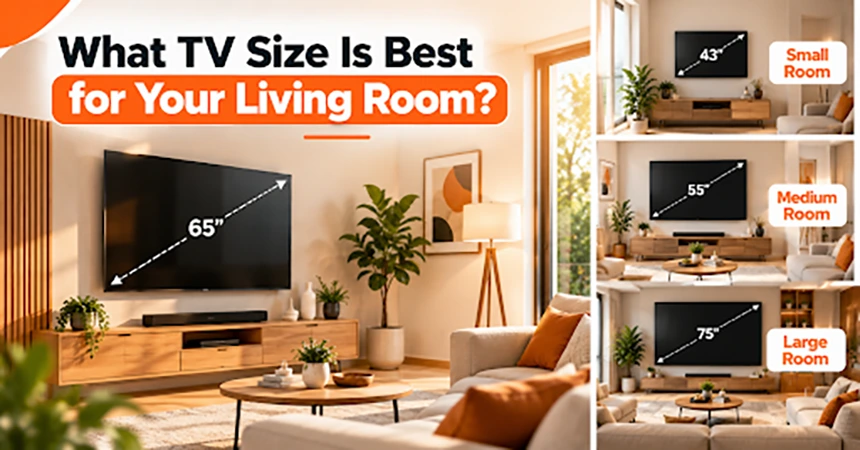
Setting up a home entertainment space requires clear planning around room size, seating distance, and panel position. Choosing a display panel that fits your room creates a clean aesthetic without overwhelming your living area. Proper planning prevents common mistakes like poor viewing angles or the bright lights of the TV.
Many people pick a display based on screen size alone. Which features a layout, ambient light, and seating position also guarantee better long-term performance. Taking time to measure your space beforehand saves effort during installation.
LED Screens and Room Layouts
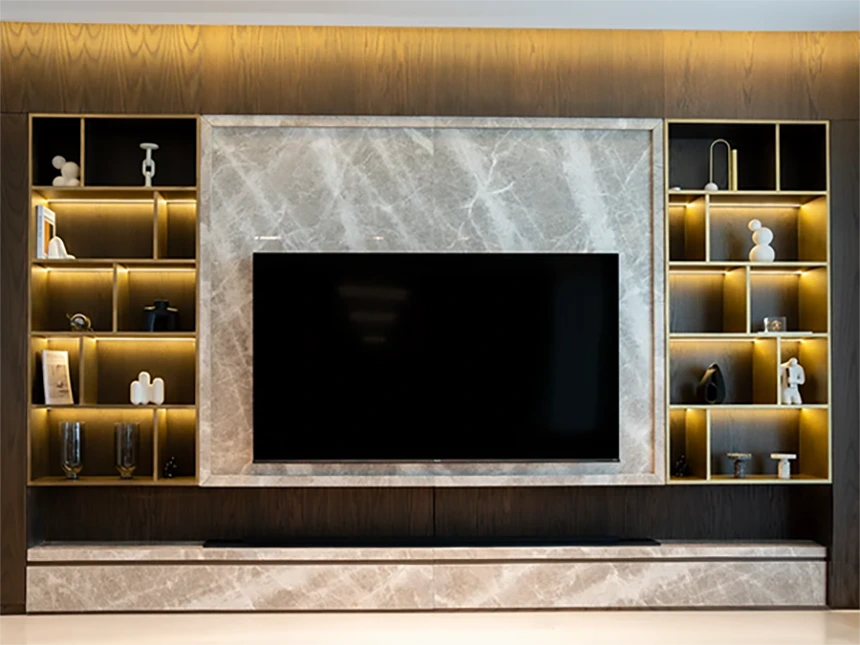
Homeowners often struggle to find display technology that fits wide living spaces. Premium Canadian LED screens offer clear visuals that transform large sitting areas into immersive media hubs. Modern display panels fit tight mounting spaces without creating bulky clutter in your main room.
Selecting the right frame style makes a noticeable difference. Sleek borders blend easily with existing wall decor. Neutral panel colors maintain a clean look when the display is powered off.
High-quality panels deliver balanced color distribution across broad seating arrangements. Guests sitting off to the side enjoy the same image clarity as those in the center.
Measuring Viewing Distances Accurately
Room measurements play a direct role in display selection. Educational guidelines highlight that the length of the room dictates the appropriate television screen size and the corresponding viewing distance. Measuring from the primary couch to the display wall sets a solid foundation for your layout.
A display that sits too far away causes subtle detail loss. Placing furniture with clear sightlines helps maintain optimal picture clarity. Proper distance keeps 4K media content crisp from every angle.
Calculating distances before purchasing prevents buying an oversized unit. Smaller rooms benefit from moderate panel sizes that do not dominate the wall space.
Understanding Social Spatial Standards
Standard living room arrangements follow expected physical boundaries. Health research indicates that 3 m represents interactions such as watching television or interpersonal communication. Designing your seating area around a 3 m threshold creates a natural balance between screen visibility and conversational flow.
This spatial arrangement prevents viewers from feeling overwhelmed by bright screens. It leaves comfortable space for coffee tables and walking paths. Family members can move around freely without blocking the main line of sight.
Maintaining open walking paths promotes a functional living area. Strategic placement keeps the room feeling spacious during social gatherings.
Protecting Eye Comfort and Health
Seeing the screen from very close can directly impact long-term visual comfort during movie nights. Scientific reports confirm that greater eye strain has been reported when viewing distance was reduced for visual display units. Keeping adequate space between your seating and the display panel reduces physical fatigue.
Here are practical ways to maintain comfortable viewing throughout the evening:
- Set screen brightness to match ambient room lighting
- Mount displays at seated eye level to avoid neck tilt
- Keep a 3 m separation distance when setting up seats
- Place subtle lighting behind the display frame
Taking brief breaks during long viewing sessions keeps your vision fresh. Small adjustments to room lighting make a big difference for your family. Proper screen height prevents neck strain during extended viewing.
Balancing Room Aesthetics and Equipment
Audio components and streaming devices require dedicated placement near the central screen. Hidden power cords inside wall channels create a tidy atmosphere in modern homes. Minimalist mounting shelves keep media gear organized without taking up valuable floor space.
Matching your display bezel color to surrounding furniture creates visual harmony. Darker frames draw attention inward toward the picture during evening viewing. Lighter frames work well in sunlit rooms with neutral wall paint.
Selecting low-profile mounts keeps the display sitting flush against the drywall. Clean cable management transforms chaotic wires into a sleek, professional installation.
Optimizing Lighting and Mounting Elevation
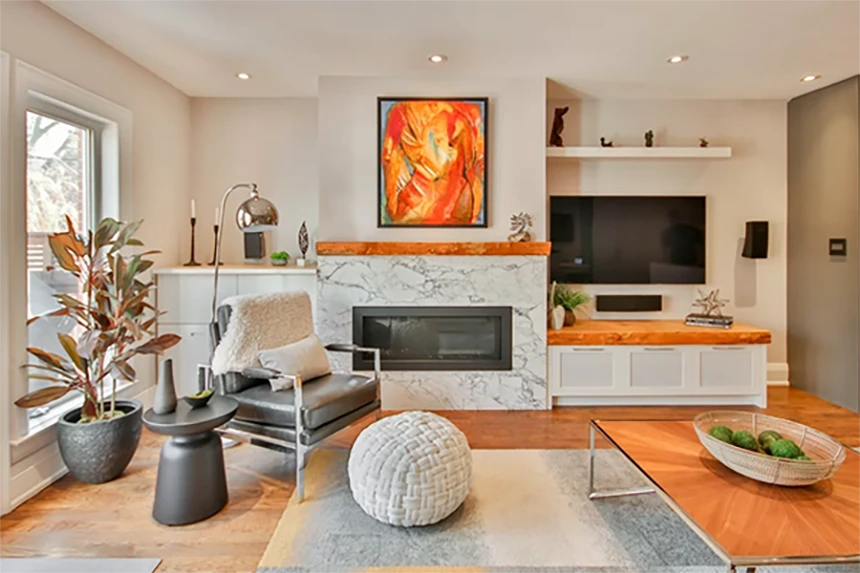
Sunlight from large windows creates unwanted glare across glass displays. Positioning screens perpendicular to main windows reduces distracting reflections. Adjustable window blinds offer additional control during bright afternoon hours.
Wall mounts offer tilt adjustments to combat reflections from overhead lights. Correct tilt angles preserve color depth and contrast from every seat. Lower mounting positions align the display center directly with your natural line of sight.
Soft backlight strips behind the panel soften the contrast between bright scenes and dark walls. Gentle illumination reduces eye tension during nighttime movie watching. Integrated lighting setups add a refined touch to modern living spaces.
Creating an ideal living room display setup requires balancing room dimensions with proper viewing angles. Matching screen size to physical space creates a seamless entertainment experience.
Simple adjustments to lighting, mounting height, and seating distance yield massive improvements in everyday comfort. Enjoying movies and television becomes far easier when your room layout supports your screen choices.
Final Thoughts
Choosing the right TV size for your living room depends completely on the layout, the viewing distance you have, screen resolution, and the way you use your TV. It doesn’t depend on bringing the biggest TV that you can fit in your living room.
If you choose to buy a bigger screen, it can be a very engaging experience, but a smaller TV can very well work in a compact space. You should always measure your viewing area and choose the size of the TV that feels comfortable and fits perfectly in the watching area.
With a setup like this, you can enhance your viewing experience and make your living room look good and aesthetic as well.
Frequently Asked Questions
Q1. How do I choose the best TV size for my living room?
Ans: The first thing that you should do is measure the distance between the main seating position and the place where the TV will be placed. If you have a longer viewing space, you can choose a large TV, but if you have a compact space, you can choose a medium-sized TV.
Q2. How far should I sit from a 6-inch TV?
Ans: The best distance to sit from a 65-inch TV would probably be the distance of 6-9 feet away. But the ideal distance can be different for different people; it also depends on the resolution and personal comfort.
Q3. Should I mount my TV on the wall or use a TV stand instead?
Ans: Both the things have their own pros; mounting the TV on the wall will help you save space on the ground whereas, the TV stand can be easily installed and also add additional storage to your room. This all mainly depends on the layout of your room and your preference.
Q4. Does TV resolution also affect the size I should buy?
Ans: Yes, it does affect the size. The high-resolution TV’s like a TV with a 4K resolution, allow you to sit closer to it without the picture getting pixelated, and because of this, installing a larger TV is also possible in medium- or small-sized rooms.